SG CareKis
Reducing Social Isolation Among Elderly Singaporeans
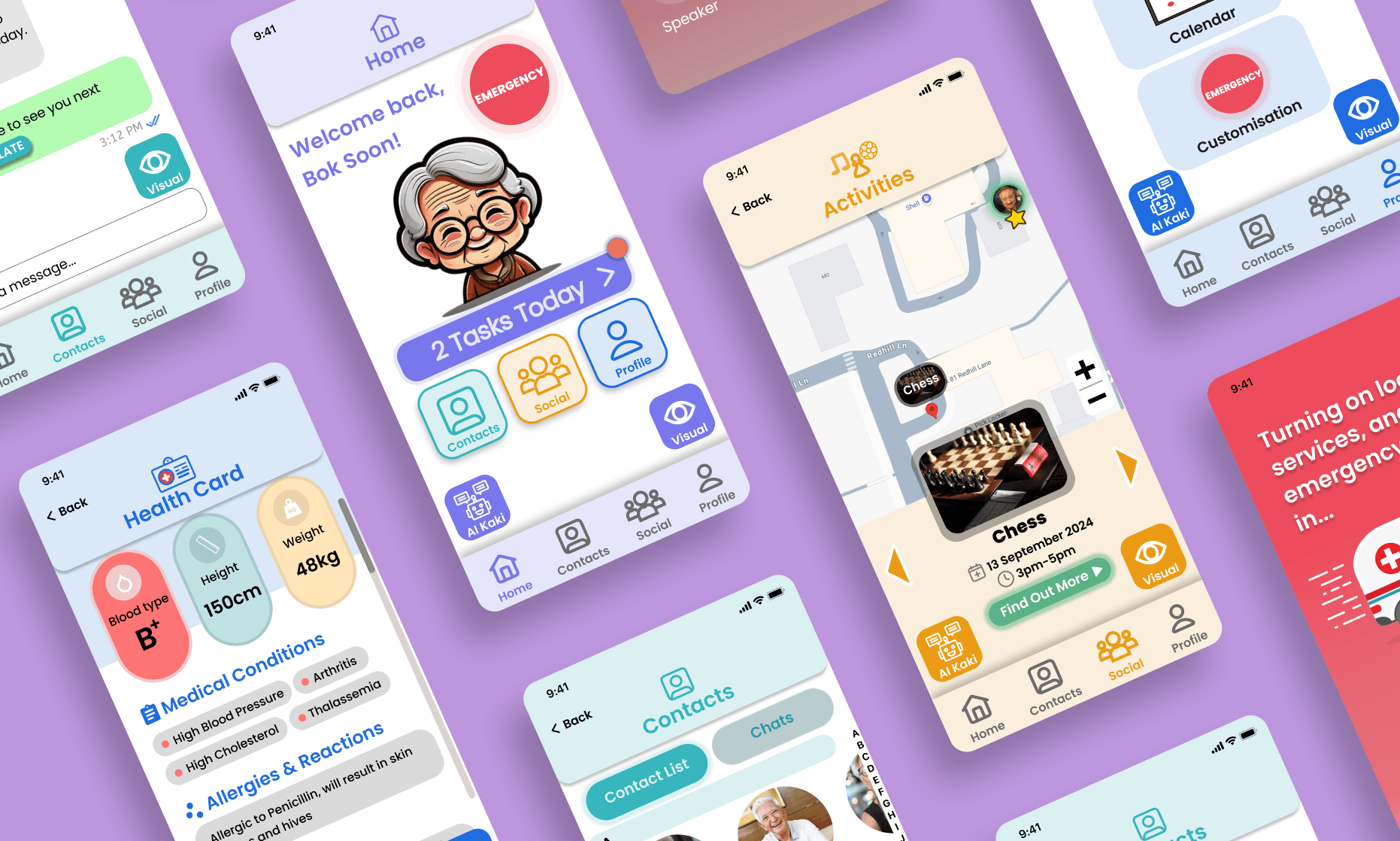
At a Glance
Singapore's ageing population is rapidly growing, with the number of residents aged 65 and over nearly doubling from 2012 to 2024. Projections show that by 2030, nearly a quarter of the population will be 65 or older. The rise in elderly individuals living alone has led to increased isolation, with tragic outcomes such as ‘lonely deaths,’ highlighting the urgent need for societal intervention.
Role
UX Designer
Timeline
Aug 2024 – Nov 2024
Tools
Figma
The Solution
SG Care-Kis is a mobile app that promotes social engagement through the "Find-A-Kaki" feature, helping users discover friends and local activities, reducing isolation and enhancing well-being.
Key Features
Contacts Page
Call, message or chat with loved ones and new friends made through SG CareKis.
Profile Page
Access the health card to show health conditions, and calendar to create new events or set reminders.
Social Page
Find new friends with common interests and sign up for activities in your area using geolocation.
Emergency Page
In the event of an emergency, quickly contact your emergency contacts or emergency services.
Design Process
I followed the Double Diamond methodology to ensure a user-centered design process:

- Discover: Conducted user interviews and competitive analysis to understand user behaviours.
- Define: Synthesized research into a clear problem statement and user persona.
- Develop: Sketched low-fidelity wireframes and explored multiple design directions.
- Deliver: Tested interactive prototypes, gathered feedback, and refined the high-fidelity UI.
User Research
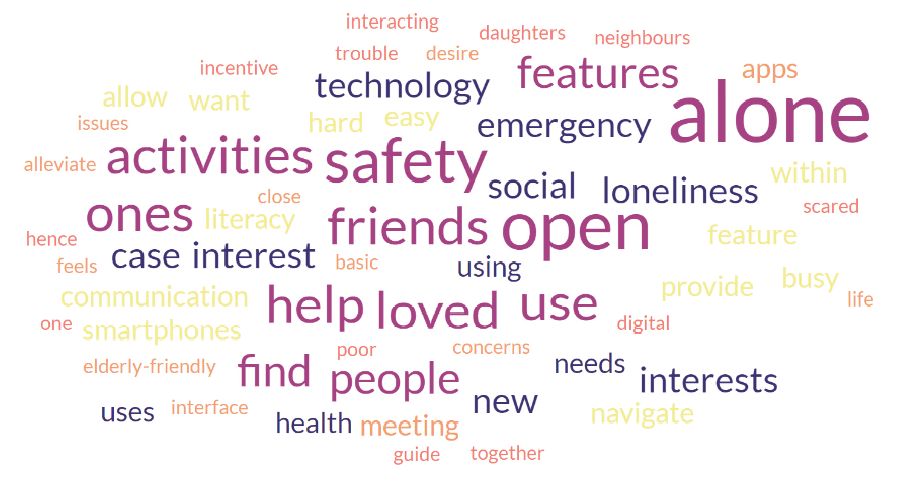
After conducting an interview with 20+ elderly, we used a word cloud to consolidate our findings. The word cloud provided a visual representation of the elderly participants’ priorities and challenges, offering insights into areas where support and intervention were most needed.
Key Insights
01
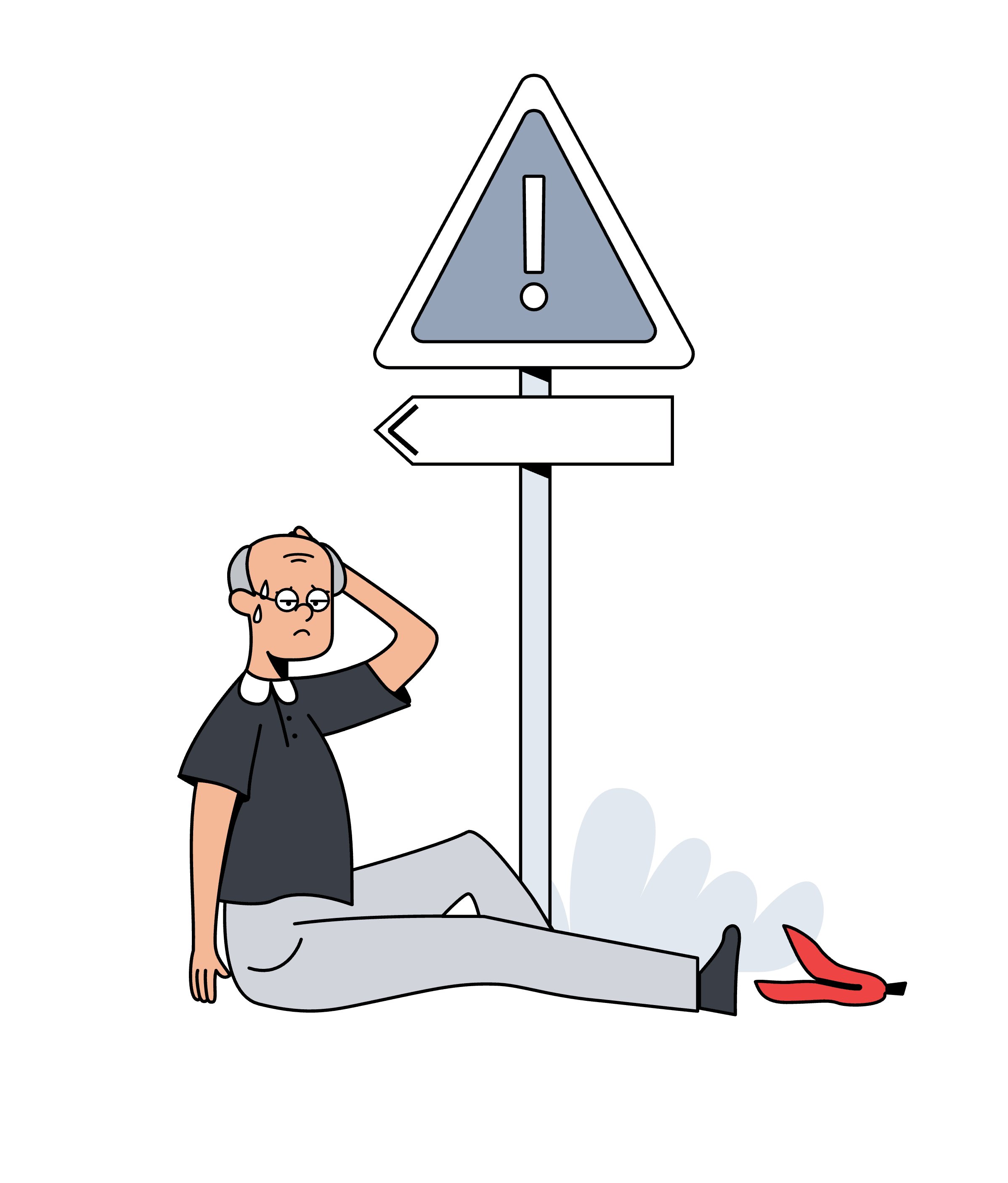
Fear of Facing Emergencies When Living Alone
- Complex Emergency Response Systems: Many elderly individuals may not know how to use available emergency response systems effectively.
- Lack of Safety Monitoring: Existing safety monitoring solutions may not be comprehensive, missing critical events or failing to alert designated contacts promptly.
- Social Isolation: Limited social connections outside immediate family can hinder the establishment of a broader support network.
02
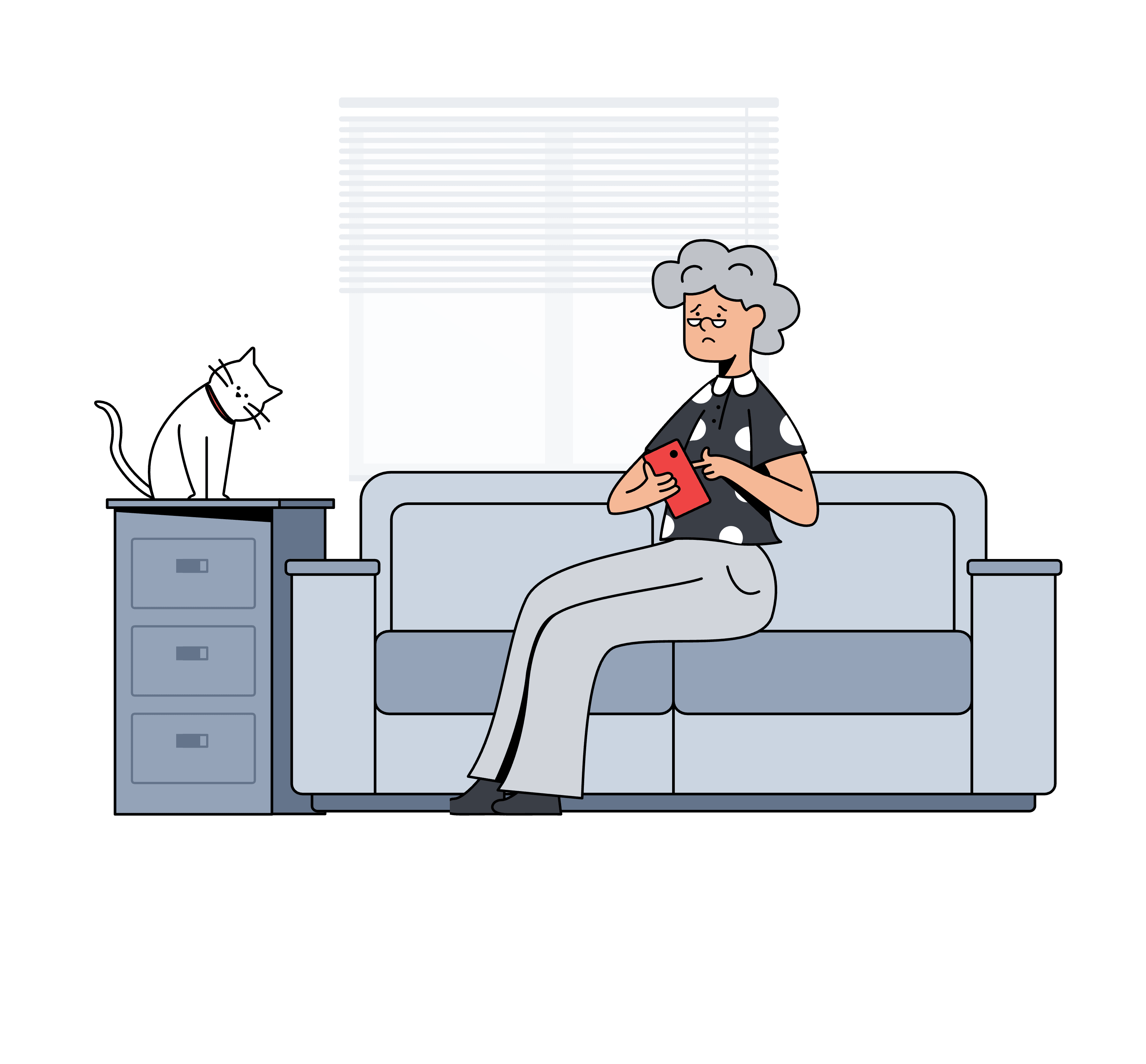
Poor Technological Literacy
- Complex Navigation: Some participants had difficulty navigating apps due to complicated UI and features.
- Memory Strain: Participants struggled to remember how to use apps with many features or complex interfaces, often needing help from loved ones.
- Small User Interface (UI): Participants had difficulty navigating apps that use small fonts and interface elements, making it hard to use the app effectively.

03
Lack of Opportunities to Interact With Others
- Lack of Centralised Information: Information about events and activities may be scattered, making it difficult for elderly individuals to find relevant opportunities.
- Lack of Tailored Activities: Available social events or programs might not cater to specific interests or hobbies.
- Limited Local Events: There may be a lack of suitable activities or events in the immediate vicinity of participants' homes, restricting their ability to engage locally.
Who I Designed For
Consolidating findings allowed us to make a User Persona to develop the key features of our application to address these areas.

Cheng Bok Soon
76 years old · Single · Singapore
Pain Points
- Poor eyesight due to old age
- Lives alone with limited social interaction
- Fear of accidents happening while living alone
Interests
- Tai Chi
- Zumba
- Chinese Chess
Goals
- To be connected with his neighbourhood community
- Pick up skills while participating in activities
- Maintain good health
Navigation
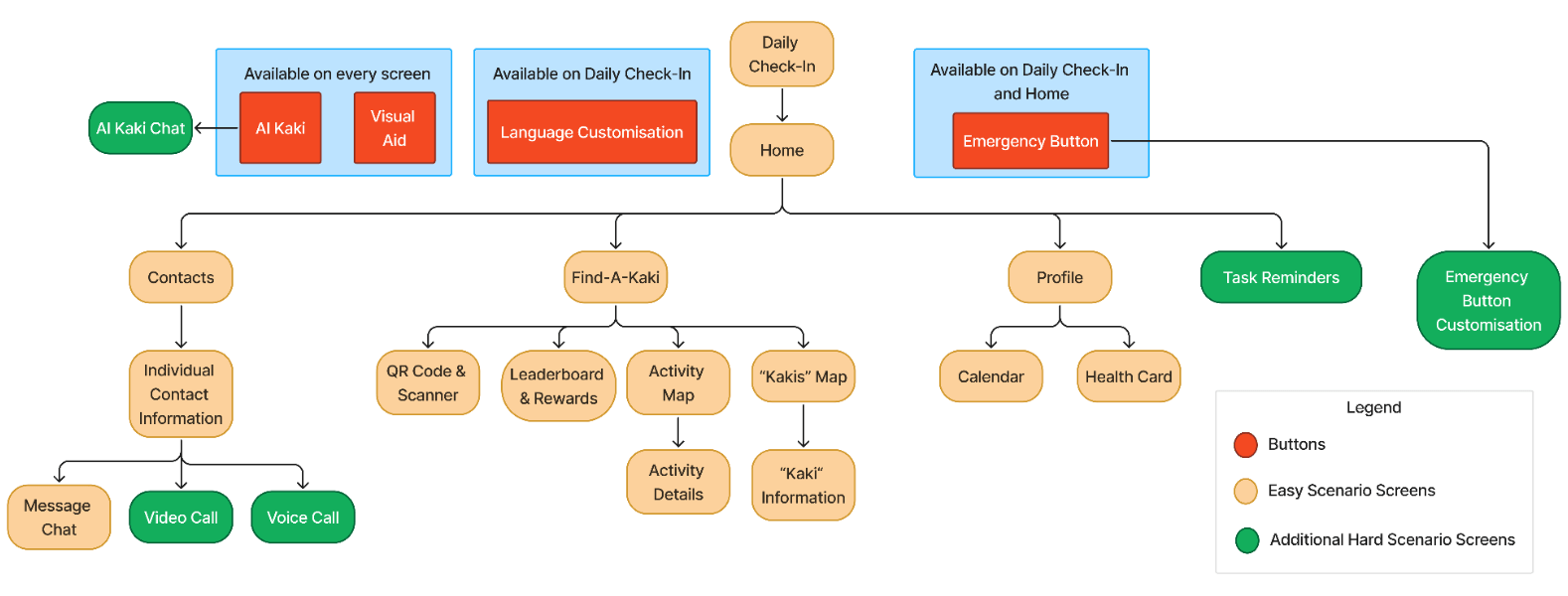
The App's navigation is designed for simplicity and ease of use, ensuring elderly users can access key features with minimal effort.
- The Home Screen serves as the central hub, leading to essential sections like Contacts, Find-A-Kaki, Profile, and Task Reminders.
- Persistent features such as AI Kaki Chat, Visual Aid, and Language Customization provide real-time support across all screens, while the Emergency Button remains easily accessible from critical points.
By minimizing deep menu hierarchies and keeping interactions within one to two taps, we enhance usability, accessibility, and engagement, making the app intuitive for all users.
High-Fidelity Prototype
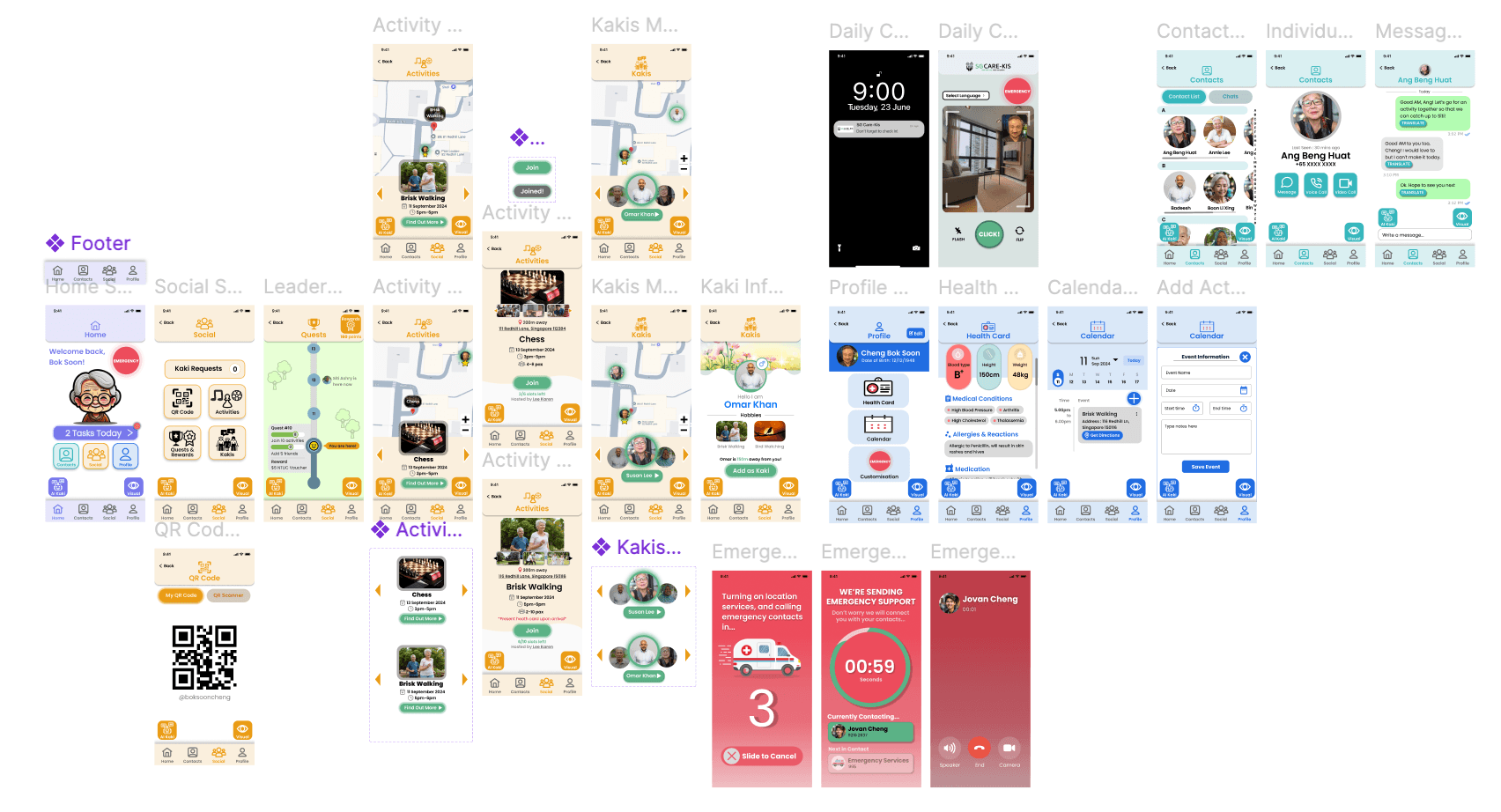
Here is an overview of the final High-Fidelity Prototype.
We implemented a color-coded system across different pages to enhance navigation and improve user experience. This approach ensures users can intuitively differentiate between sections, making the interface more accessible and visually engaging.
User Feedback & Changes
Usability Testing was carried out with 7 elderly participants. Through testing, we identified three areas of improvement for the High-Fidelity prototype.
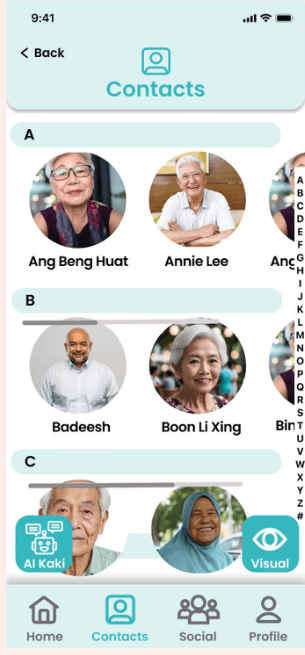
Adding “AI Kaki” and “Visual Aid” Buttons
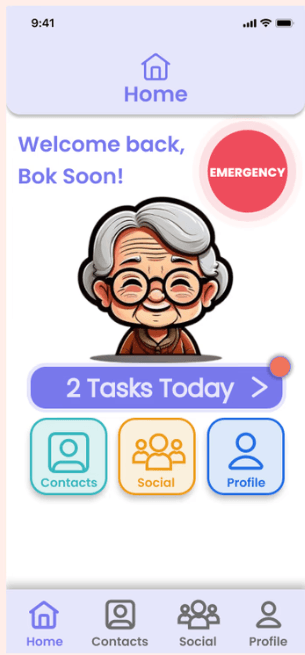
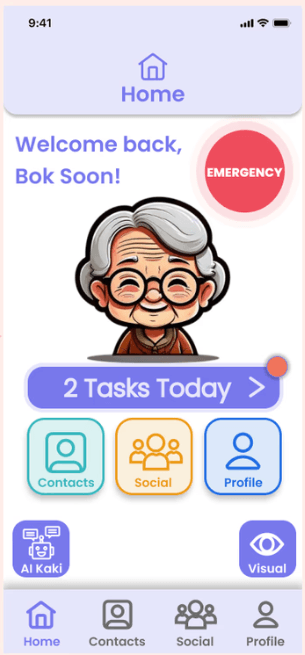
- User feedback revealed that there was a need to have a feature that allowed for help to navigate the application.
- It also revealed that there was a need for customizing font sizes etc. for different users and different pages.
- Adding these buttons to every page allows for smoother user experience, allowing customization at all times on all pages.
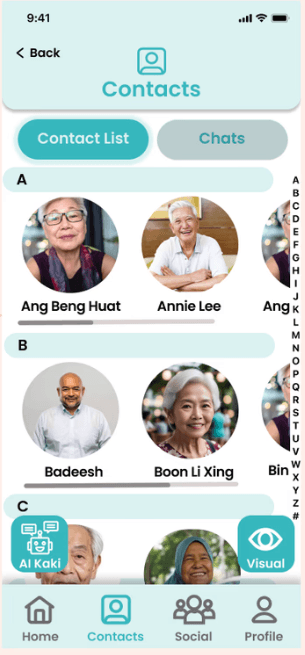
Adding “Chats” Function to the Contacts
- User feedback highlighted that there was no convenient way to access the individual Chats other than going into the contact itself.
- Adding a “Chat” button to the Contact List allows for user convenience with minimal taps.
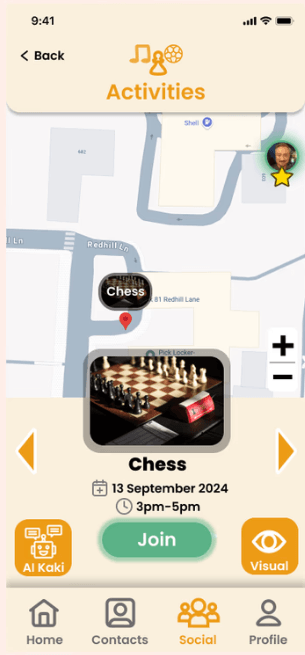
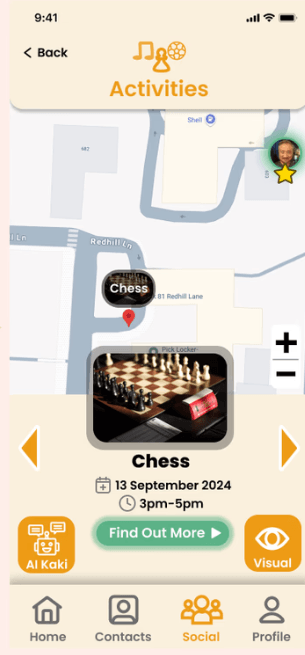
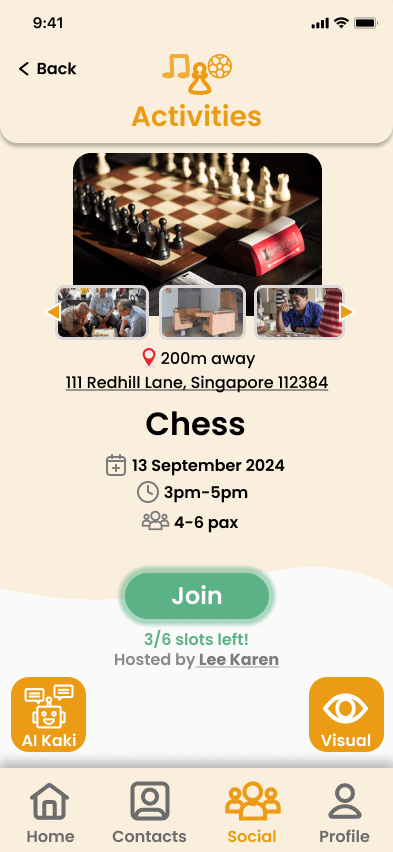
Adding a “Find Out More” Screen
- User feedback showed that there was no way to find out the number of users, and who the host of the activity was before joining.
- Adding a button to view more details allows users to make informed decisions before joining an activity, increasing their satisfaction.
Results
- Reduced reliance on family members for everyday tasks.
- Increased confidence navigating the app independently.
- Strengthened social connection through Find-A-Kaki.
Reflection
On small design tweaks
It showed how small design tweaks like adding a simple “Find Out More” button or customizable font sizes can make a big difference for the users, especially for elderly users who aren’t as familiar with digital interfaces.
On usability testing
Usability testing made me realize that what seems intuitive to a designer isn’t always intuitive to the actual user. Seeing firsthand how our changes improved the experience for seniors was incredibly rewarding.
On adapting to feedback
Beyond design, this project also taught me how to adapt quickly based on feedback and balance user needs with technical constraints. I gained a lot of experience in communicating with stakeholders, breaking down feedback, and making design decisions that actually solve real problems.